
Depop customer service works through the app and the Help Centre, not by phone. For an order problem, open the purchase receipt in the app and raise an issue there; for anything else, use the “Contact us” form in the Depop Help Centre.
Tumbleweed Thrift is an independent guide and is not affiliated with Depop. This page pulls together what Depop publishes about getting help, as of October 2026, for buyers and sellers in the US. Depop’s help site blocks automated reading, so several details here come from Depop’s own pages as shown in search results; open the Help Centre in your browser to confirm anything time-sensitive. For the bigger picture on resale apps, see our thrift and resale guide, and if you are still deciding whether to buy there at all, start with is Depop legit.
How to contact Depop customer service
The short version: there is no Depop phone number. Depop does not list a support phone line on any of its pages, so any number you see on a directory site is not Depop’s, and calling it risks handing your account details to a stranger. Depop support is written, and it starts inside the app.
| Channel | How to reach it | Hours as published |
|---|---|---|
| In-app issue (orders) | Open the purchase receipt in the app and use the link to raise an issue | Not published |
| Help Centre contact form | help.depop.com → “Contact us,” or “Having problems with an order? Get help with an order” | Not published |
| Phone | None. Depop publishes no phone support line | n/a |
| Live chat | Not documented on Depop’s pages | n/a |
| Email (Terms questions, disputes with Depop) | [email protected], listed in an older version of Depop’s Terms | Not published |
| X (Twitter) | @askdepop, Depop’s support account | Not published |
| Press only | [email protected] | Not for order help |
Depop does not publish response times, so treat any “replies within X hours” claim on another site as a guess. The in-app route is the one Depop itself points buyers to for transactional problems, because it ties your message to the order and the payment record.
The older Terms also listed [email protected] for account deactivation (sent from your account email) and [email protected] for intellectual-property reports. Those addresses come from an older page, and menu labels and addresses may have changed, so use the Help Centre form first.
The in-app path, step by step
Because Depop is app-first, the fastest Depop help starts on your phone.
- Find the order. Open the purchase receipt for the item. Depop’s Buyer Protection page says to “raise an issue in the app” for lost or damaged items, using the link in the receipt.
- Pick the problem type that matches: not arrived, arrived damaged, or significantly not as described.
- Add evidence. Photos of the item, the packaging and the label, plus screenshots of the listing.
- Keep messages on Depop. Talk to the seller only through Depop messages so support can see the conversation.
An older version of Depop’s Terms described the path as Profile > Support > Help > Report a transaction problem > Purchased Items. That page is older and the menu labels may have changed, but if the receipt link is missing, look for a Support or Help entry under your profile.
Depop Buyer Protection and returns
Depop has no platform-wide return window. If you simply changed your mind or the size is wrong, whether you can return it depends on the seller’s own shop policy, which varies from seller to seller. Read it before you buy, and check measurements in the listing; a Soft Tape Measure on Amazon and a garment you already own that fits well make it easy to compare.
Top-selling match on Amazon
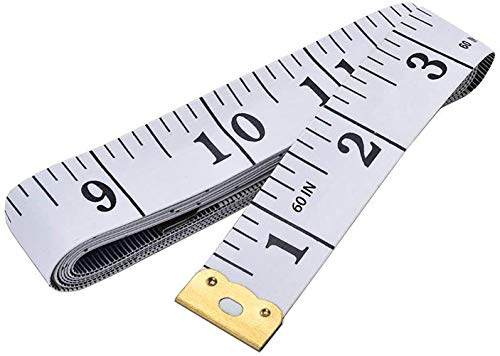
- Measuring Range: 0 to 60 inches and 0 to 150 centimeters. There is a centimeter scale on the back…
- Great Material: Tailor Vinyl tape measure won't stretch or deform, provides superior measurement…
- Operate And Read: Black markings on bright white tape is big enough for you to read, the tape has…
Buyer Protection is the safety net for real problems. As of October 2026, per Depop’s Buyer Protection page:
| Buyer Protection detail | What Depop publishes |
|---|---|
| Who is covered | Buyers in the US, UK and Australia who paid through Depop Payments and checked out on Depop |
| Payment methods covered | Card, Apple Pay, Google Pay, Klarna through Depop Payments |
| What it covers | Item not arrived, arrived damaged, or significantly not as described |
| Refund | Full refund including shipping, fees and taxes |
| Deadline | Report within 30 days of purchase |
| Not covered | Off-app payments (direct PayPal, Venmo, bank transfer) and in-person meetups |
Depop describes the program as “not insurance” and says it can change, so confirm the current terms on its Buyer Protection page. The biggest practical rule is simple: if a seller asks you to pay outside the app, you lose Buyer Protection. Old advice about PayPal-based disputes and reporting within 21 days comes from Depop’s earlier terms and no longer applies.
How refunds are paid
Depop’s documentation describes two refund types. A full refund applies when an item is damaged, not as described or never arrived; once the seller confirms the return, the money comes out of the seller’s Depop balance or connected top-up card and goes back to the buyer’s original payment method. A partial refund is when the buyer keeps the item and both sides agree on an amount.
Order problems: late, missing or wrong items
The seller hasn’t shipped. Depop’s October 2025 product release says that if a seller can’t ship on time, its systems are designed to cancel and fully refund the order automatically. Depop has not published the exact number of days, so message the seller first and watch the order status.
You want to cancel. Depop does not document a buyer-side cancel button. Ask the seller to cancel and refund through Depop messages. If they refuse and the item never ships, the late-shipping rule above is your backstop.
The item arrived damaged or not as described. Raise an issue from the receipt within 30 days of purchase and attach photos. Don’t post the item back until there is an agreed return, so the refund is tracked.
The parcel says delivered but isn’t there. Check with neighbors and the carrier, then raise an issue as not arrived.
Depop help for sellers
Sellers use the same Help Centre form, and the same rule applies: keep everything inside Depop. When a buyer opens an issue, reply in the app with photos of the item as packed and your proof of postage. Refunds you approve come from your Depop balance or connected top-up card, so keep a small balance available during busy periods. Clear photos and honest condition notes prevent most “not as described” claims; our guide to how to sell on Depop covers listing basics, and Depop fees explains what you keep from a sale. Weighing parcels on a Digital Shipping Scale on Amazon before you buy postage also cuts down on returned or delayed packages.
Top-selling match on Amazon

- Smart Tare & Hold Functions: Effortlessly subtract container weight or lock readings for larger boxes.
- Clear Lcd Display: Large, backlit screen makes weights easy to read, even in dim rooms.
- Multi-Measuring Units: Kg, lb/oz, oz
How to escalate with Depop
Depop does not publish a general escalation ladder for buyers. What it does document:
- Start in the app, from the order receipt, so the issue is tied to the transaction.
- Follow up through the Help Centre form if the in-app issue stalls, quoting the order details.
- Top Sellers have an extra route. Depop’s Top Seller Code of Conduct says that if there is no reply within 24 hours of an in-app report, submit a request through the Support Escalation form. That applies to members of the Top Seller program, not to every account.
- Public nudge. @askdepop on X is Depop’s support account. Never post order numbers, addresses or payment details publicly.
Tips for a faster resolution
- Have the order details ready: item name, seller username, purchase date and the receipt.
- Report early. The Buyer Protection window is 30 days from purchase, not from delivery.
- Use photos, not adjectives. Show the flaw next to the listing photo.
- Keep every message on Depop. Off-app chats can’t be reviewed.
- Never pay off-app. It removes Buyer Protection entirely.
- Ignore phone numbers online. Depop has none.
If Depop’s support model doesn’t suit you, it helps to know how the alternatives handle problems. Poshmark customer service is also email-based with a 72-hour case window, while Mercari customer service is the rare resale app with a published phone line. Our Depop vs Poshmark comparison covers the rest.
The verdict
Depop customer service is built for the app, and it works best when you use it that way. There is no phone line and no published chat, so the fastest fix for any order problem is to raise an issue from the purchase receipt, with photos, well inside the 30-day Buyer Protection window. The Help Centre contact form handles everything else. The rules that matter most are about payment, not support: pay through Depop checkout and keep conversations in Depop messages, and the platform can refund you in full for items that never arrive or show up damaged or misdescribed. Pay off-app and support has nothing to work with. Change-of-mind returns are down to each seller, so read the shop policy before you buy rather than after.
Shop the look on Amazon
Everything you need to build a secondhand-style wardrobe, delivered. We may earn a commission on purchases.
FAQ
Does Depop have a phone number?
No. Depop publishes no phone support line. Contact Depop through the app or the Help Centre “Contact us” form.
How do I contact Depop about an order?
Open the purchase receipt in the app and raise an issue using the link there. Depop’s Buyer Protection page points buyers to this route for lost or damaged items.
How long do I have to report a problem on Depop?
Buyer Protection covers reports made within 30 days of purchase for items not arrived, damaged or significantly not as described, as of October 2026.
Does Depop accept returns?
Depop has no platform-wide return policy. Change-of-mind returns depend on each seller’s shop policy. Problem items are handled through Buyer Protection.
Is there a Depop support email?
An older version of Depop’s Terms listed [email protected] for questions about the Terms and disputes with Depop. The Help Centre contact form is the main route today.
Can you cancel a Depop order as a buyer?
Depop does not document a buyer-side cancel button, so a buyer who wants to cancel has to ask the seller to cancel and refund through Depop messages. If the seller refuses and the item never ships, Depop says its systems are designed to cancel and fully refund orders automatically when a seller can’t ship on time, though it has not published the exact number of days. Keeping the request inside Depop messages lets support review it later.